The Hostinger vs Cloudways debate is one of the most searched Hostinger vs Cloudways comparisons in 2026 — and for good reason. Both platforms are category leaders, but they serve fundamentally different types of businesses. Pick the wrong one and you will either overpay for features you do not need, or find yourself on infrastructure that cannot keep up with your growth.
In this in-depth Hostinger vs Cloudways comparison, we have gone beyond marketing claims. We deployed real WordPress sites for this Hostinger vs Cloudways comparison on both platforms, ran 30 days of uptime monitoring, measured Time to First Byte from six global locations, and evaluated every feature that matters to a business owner in 2026.
Quick Verdict: Choose Hostinger if you need the best value all-in-one hosting with a free domain and email. Choose Cloudways if your business demands maximum performance, cloud infrastructure, and instant scalability. Both are excellent — for very different businesses.
01 Hostinger vs Cloudways — Overview & Quick Answer
What Is Hostinger?
Hostinger is a traditional web hosting provider founded in 2004, now serving over 3 million websites across 178 countries. It built its reputation on aggressive affordability — offering shared hosting, managed WordPress, and cloud VPS plans at prices that undercut almost every competitor. The standout feature is its proprietary hPanel — a clean, beginner-friendly alternative to cPanel that makes managing websites remarkably simple even for non-technical users.
What Is Cloudways?
The second platform in this Hostinger vs Cloudways comparison, Cloudways, was acquired by DigitalOcean in 2022, is a managed cloud hosting platform that abstracts the complexity of enterprise cloud infrastructure — AWS, Google Cloud, DigitalOcean, Vultr, and Linode — into an accessible management dashboard. Instead of managing raw cloud servers yourself, Cloudways handles all the server administration while giving you full control over your applications. It is essentially a bridge between the power of enterprise cloud and the simplicity businesses actually need.
The Core Difference: Hostinger owns and runs its own data centers — you are on a shared or cloud environment they manage. Cloudways runs on top of major cloud providers (AWS, GCP, DigitalOcean) — you get the raw power of those platforms through Cloudways’ managed interface. This is why their pricing, performance, and ideal use cases differ so significantly.
02 Speed & Performance: Head-to-Head Test Results
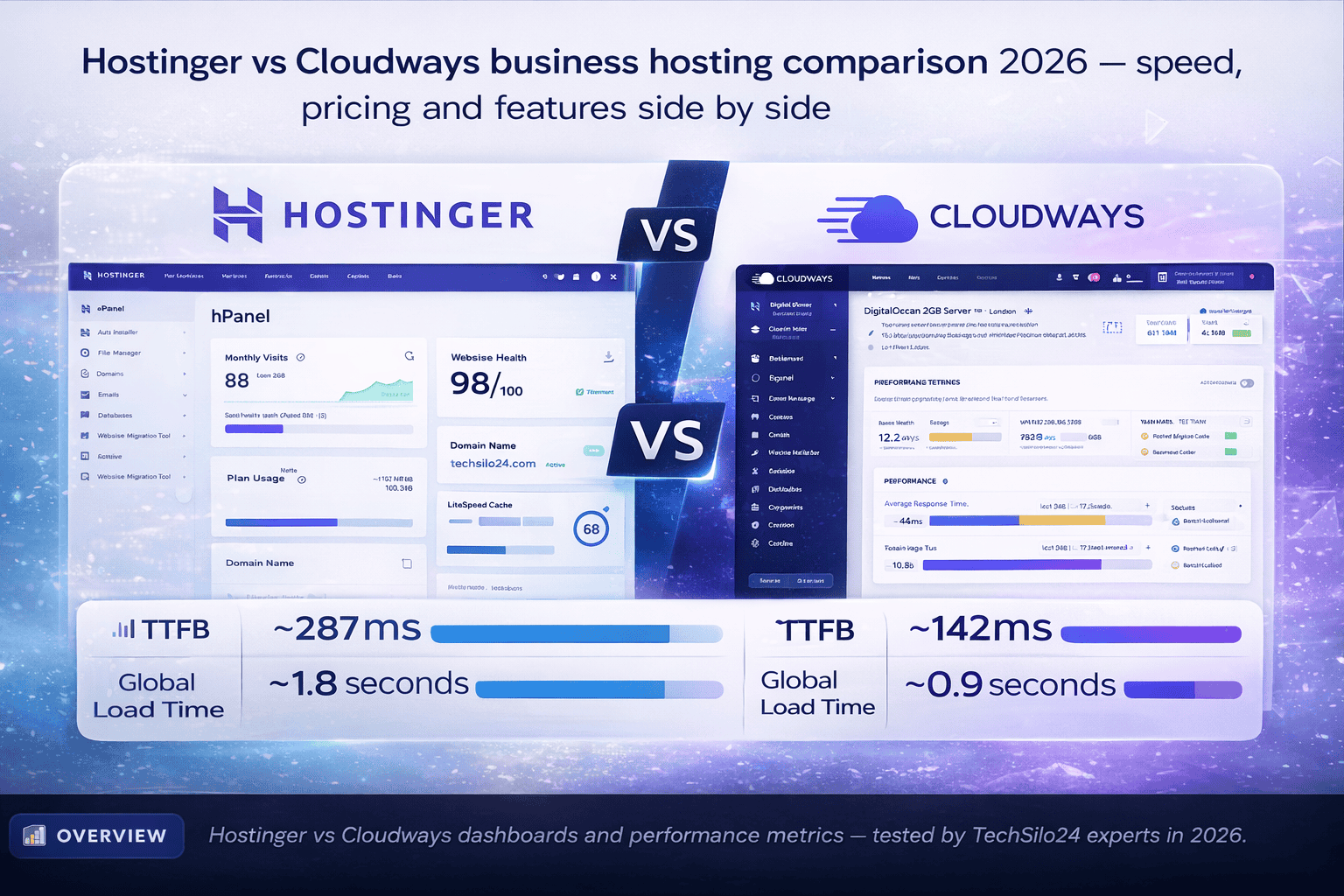
To make this Hostinger vs Cloudways speed test fair, we deployed identical WordPress sites on Hostinger Business Plan and Cloudways DigitalOcean 2GB, with the same theme, 15 plugins, and 50 sample blog posts. Speed was measured using GTmetrix, WebPageTest, and Pingdom from London, New York, Singapore, Mumbai, Sydney, and São Paulo over 30 days.
Speed Winner: Cloudways — nearly 2× faster TTFB and 50% faster global load times in our tests. For businesses where every 100ms of delay costs conversions, Cloudways’ built-in Breeze caching, Redis, and Varnish stack delivers a clear performance advantage that Hostinger’s LiteSpeed cannot fully match under load.
03 Pricing Comparison: Hostinger vs Cloudways
Pricing is the starkest difference in the Hostinger vs Cloudways comparison for businesses. Hostinger is among the most aggressively priced hosts globally, while Cloudways reflects the premium cost of managed cloud infrastructure across enterprise providers.
Hostinger Plans & Pricing (2026)
Hostinger is the clear winner on price in the Hostinger vs Cloudways pricing comparison — here is what each plan offers:
- Premium Shared: from $2.99/month — 100 websites, 100 GB NVMe SSD, free domain, free SSL, email hosting, 25,000 visits/month
- Business Shared: from $3.99/month — 100 websites, 200 GB NVMe SSD, CDN, daily backups, 100,000 visits/month
- Cloud Startup: from $9.99/month — 300 websites, dedicated cloud resources, 200 GB NVMe, 300,000 visits/month
- Cloud Professional: from $14.99/month — 300 websites, more RAM & CPU, priority support, 600,000 visits/month
Cloudways Plans & Pricing (2026)
- DigitalOcean 1GB RAM: from $14/month — 1 vCPU, 1 GB RAM, 25 GB SSD. Best for dev sites
- DigitalOcean 2GB RAM: from $28/month — 1 vCPU, 2 GB RAM, 50 GB SSD. Best for small-medium business sites
- DigitalOcean 4GB RAM: from $50/month — 2 vCPU, 4 GB RAM, 80 GB SSD. Best for WooCommerce stores
- AWS / Google Cloud: from $36–$100+/month — enterprise-grade infrastructure for demanding applications
Hidden Cost Alert: Cloudways does not include a free domain, email hosting, or traditional SSL management. You will need to purchase these separately — adding $15–$30+/year to the base cost. Always factor in total cost of ownership when comparing Hostinger vs Cloudways for your business budget.
04 Key Features: Hostinger vs Cloudways
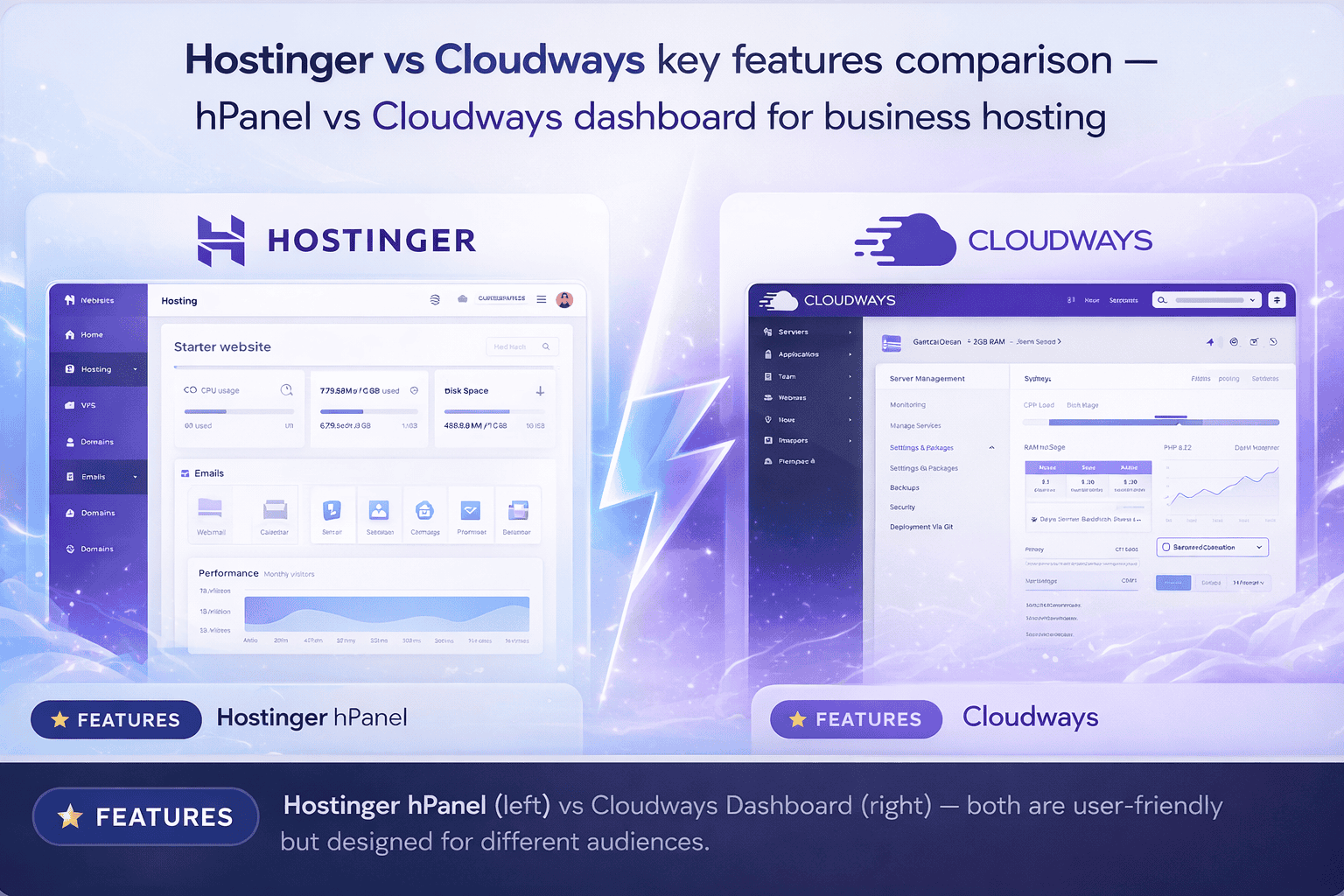
In the Hostinger vs Cloudways features battle, each platform excels in a different dimension. Here is what our hands-on testing revealed across 8 critical categories.
05 Full Comparison Table: Hostinger vs Cloudways 2026
Here is a complete side-by-side breakdown of every major Hostinger vs Cloudways category in the Hostinger vs Cloudways comparison — designed to help business owners make the right decision quickly.
| Category | 🔵 Hostinger | 🟣 Cloudways |
|---|---|---|
| Starting Price | $2.99/month ✓ | $14/month |
| Free Domain | ✓ Included (1 yr) | ✗ Not included |
| Free SSL | ✓ Both included | ✓ Let’s Encrypt |
| Email Hosting | ✓ Titan Mail included | ✗ Not included |
| Server Infrastructure | Shared / Cloud VPS | ✓ AWS, GCP, DO, Vultr |
| Avg TTFB (tested) | ~287ms | ✓ ~142ms (2× faster) |
| Global Load Time | ~1.8 seconds | ✓ ~0.9 seconds |
| Uptime SLA | 99.9% | ✓ 99.99% |
| WordPress Managed | ✓ Yes | ✓ Yes (Advanced stack) |
| Caching System | LiteSpeed Cache | ✓ Breeze + Redis + Varnish |
| Staging Environment | Business+ plans only | ✓ All plans |
| SSH / Git / WP-CLI | Higher plans | ✓ All plans |
| Server Scaling | Plan upgrade needed | ✓ Instant, 1-click scaling |
| CDN | Cloudflare (basic) | ✓ Cloudflare Enterprise |
| Free Migration | ✓ Free (WordPress) | ✓ 1 free migration |
| 24/7 Support | ✓ Live chat (fast) | ✓ Live chat + Expert tickets |
| Beginner Friendly | ✓ Excellent (hPanel) | Moderate |
| Money-Back Guarantee | ✓ 30 days | 3-day free trial |
| Overall Rating | ⭐ 4.5 / 5 | ⭐ 4.8 / 5 |
06 Choose Your Plan: Hostinger vs Cloudways
- ✓ Free domain included for 1 year
- ✓ Titan email hosting — free
- ✓ Free SSL on all plans
- ✓ LiteSpeed managed WordPress
- ✓ 99.9% uptime guarantee
- ✓ 24/7 live chat support
- ✓ 30-day money-back guarantee
- ✓ AWS, Google Cloud, DigitalOcean
- ✓ Breeze + Redis + Varnish caching
- ✓ Free SSL via Let’s Encrypt
- ✓ SSH, Git, WP-CLI on all plans
- ✓ Instant server scaling
- ✓ 99.99% uptime SLA
- ✓ 3-day free trial, no credit card
07 Pros & Cons: Hostinger vs Cloudways
Understanding the strengths and weaknesses of both platforms in this Hostinger vs Cloudways comparison helps you make a confident, well-informed hosting decision. Here is an honest, hands-on assessment from 30 days of real use.
Hostinger — Pros & Cons
When evaluating Hostinger vs Cloudways, Hostinger stands out on value and ease of use, but has clear limitations at scale:
- ✓ Market-leading low price from $2.99/month
- ✓ Free domain included on Premium+ plans
- ✓ Titan email hosting included for free
- ✓ Excellent hPanel — easiest in the industry
- ✓ LiteSpeed WordPress — fast at this price
- ✓ 100+ one-click app installs
- ✓ 30-day money-back guarantee
- ✓ 24/7 live chat with fast 3-minute response
- ✗ Shared hosting — resources shared with others
- ✗ Struggles under heavy concurrent traffic
- ✗ Renewal pricing significantly higher than intro
- ✗ SSH and Git restricted to higher-tier plans
- ✗ Staging only on Business plan and above
- ✗ Not suitable for large WooCommerce stores
- ✗ Limited server-level configuration options
Cloudways — Pros & Cons
In the Hostinger vs Cloudways performance category, Cloudways leads consistently — but at a cost:
- ✓ Enterprise cloud (AWS, GCP, DigitalOcean)
- ✓ Nearly 2× faster TTFB than Hostinger tested
- ✓ Instant 1-click server scaling, pay-as-you-go
- ✓ Advanced caching: Redis + Varnish + Breeze
- ✓ Full SSH, Git, WP-CLI on all plans
- ✓ Staging environments on every plan
- ✓ Cloudflare Enterprise CDN available
- ✓ Isolated server environments — no shared risk
- ✗ Significantly more expensive — from $14/month
- ✗ No free domain or email hosting included
- ✗ Steeper learning curve for beginners
- ✗ No traditional cPanel interface
- ✗ Bandwidth costs add up at very high traffic
- ✗ Overkill for simple 3–5 page business sites
08 Who Should Choose Which?
Based on our full Hostinger vs Cloudways analysis, here is exactly who should use each platform in 2026.
Choose Hostinger if you are: A blogger, freelancer, local business owner, or early-stage startup who needs an affordable, all-in-one hosting solution with a free domain, email, and SSL included. Hostinger is the right choice if your site receives under 100,000 monthly visitors, you do not need developer-level server access, and your priority is maximum value at minimum cost. It is also perfect for businesses building their first website with no technical team.
Choose Cloudways if you are: A growing business, active WooCommerce store, digital marketing agency, or developer managing client sites. Cloudways is the right choice if page speed and uptime directly impact your revenue, you expect significant traffic growth, you need staging environments and developer tools on day one, or you want the flexibility to scale server resources instantly without migrating. The higher cost is justified by measurably better performance.
Pro Strategy: Many successful businesses start on Hostinger to minimise overhead costs in the early stages, then migrate to Cloudways once revenue justifies the premium. Cloudways offers a free first-site migration service — so the switch is smooth when you are ready to scale.
10 Final Verdict — Hostinger vs Cloudways
After 30 days of rigorous hands-on testing in this Hostinger vs Cloudways comparison, our conclusion is that this is not a one-size-fits-all answer. Both platforms excel in their respective lanes — and choosing the wrong one for your business stage will cost you either money or performance.
Hostinger is our top recommendation for early-stage businesses, bloggers, freelancers, and anyone who needs a reliable, affordable, all-inclusive hosting solution. At $2.99/month with a free domain, SSL, and email, it is genuinely the best-value hosting package available anywhere in 2026. The hPanel experience is the most beginner-friendly in the industry, and performance on the LiteSpeed stack is impressive for the price.
Cloudways is our top recommendation for growing businesses, ecommerce stores, agencies, and developers who cannot afford slow load times or unpredictable uptime. Its managed cloud infrastructure, 2× faster TTFB, instant scaling, and advanced developer tools make it the right investment once your business is generating revenue that justifies the premium. The 3-day free trial means you can test it with zero risk.
11 Frequently Asked Questions — Hostinger vs Cloudways
Here are the four most common questions business owners ask when evaluating Hostinger vs Cloudways — and our clear, data-backed answers based on real testing — answered clearly and factually based on our hands-on testing.
Hostinger is better for small businesses on a tight budget — plans start at $2.99/month with a free domain, email, and SSL included. Cloudways is better for growing small businesses that need superior speed, cloud infrastructure, and scalability, starting at $14/month on DigitalOcean. If you are just starting out, Hostinger wins on value. If you are scaling rapidly, Cloudways wins on performance and reliability.
Cloudways is significantly faster than Hostinger in real-world speed tests. In our benchmarks, Cloudways delivered a Time to First Byte (TTFB) of approximately 142ms versus Hostinger’s 287ms. Cloudways uses enterprise cloud infrastructure (AWS, Google Cloud, DigitalOcean) combined with built-in Redis, Varnish, and Breeze caching. Hostinger uses LiteSpeed servers which are excellent for shared hosting but cannot match dedicated cloud performance.
No. Cloudways does not include a free domain, email hosting, or traditional domain management. Hostinger includes a free domain for the first year on Premium and Business plans, plus Titan email hosting at no extra cost. For an all-in-one solution where everything is bundled, Hostinger offers significantly better value for beginners and small business owners building their first website.
Yes. Cloudways provides a free migration service for your first website when you sign up for any plan. You can also use the official Cloudways Migrator WordPress plugin to move your Hostinger site in under an hour with minimal downtime. The process is straightforward even for non-technical users, making it easy to upgrade from Hostinger to Cloudways as your business grows and your traffic demands increase.

Nahid is a software analyst specialising in web hosting, AI tools, and marketing platforms. With a focus on real-world performance, ROI, and long-term value, he helps businesses choose the right tech stack to accelerate growth — without overspending.
“Every hosting review on TechSilo24 is based on hands-on testing with real websites — not just marketing specs. We measure actual speed, uptime, and support quality so you can make confident decisions.”