AI productivity tools are no longer a luxury — they are the new competitive baseline. In 2024, the teams that work smarter, automate faster, and communicate more clearly will outpace everyone else. That is why this Notion AI review matters so much right now.
Notion has long been the go-to workspace tool for startups, remote teams, and knowledge workers. But with the launch of Notion AI, the platform transformed from a flexible document editor into an intelligent productivity engine that thinks, writes, summarizes, and automates — all from inside your existing workspace.
In this comprehensive Notion AI review, we cover everything: what Notion AI actually does, how its features perform in real team environments, whether the pricing makes sense, and how it stacks up against competitors like ChatGPT, ClickUp AI, and Jasper AI. Whether you are a solo marketer, a remote team lead, or a SaaS founder evaluating AI tools — this is the Notion AI review you need before making a decision.
Quick Summary: Notion AI earns a 4.6/5 in our Notion AI review. It is the best AI tool for teams already using Notion — delivering exceptional value through context-aware writing, intelligent summarization, and seamless workflow automation. Not ideal for teams looking for a standalone AI chatbot replacement.
What is Notion AI? (Overview)
Notion AI is an artificial intelligence layer built natively inside the Notion workspace. Unlike using an external AI tool that requires you to copy-paste content back and forth, Notion AI lives directly within your documents, databases, wikis, and project pages.
Powered by a combination of large language models from OpenAI and Anthropic, Notion AI understands the context of what you are working on and responds with relevant, actionable outputs. You can invoke it with a simple slash command or by highlighting text and pressing the AI button.
What makes Notion AI genuinely different from bolted-on AI features in competing tools is its workspace-aware intelligence. It can read your existing Notion pages, pull data from your team’s databases, and generate content that fits seamlessly into your workflow — all without you leaving the tool.
Key Features of Notion AI
This Notion AI review tested all major AI features over six months of team use. Here is what each feature actually delivers — beyond the marketing descriptions.
📊 Feature Performance Ratings — TechSilo24 Testing
1 AI Writing Assistant
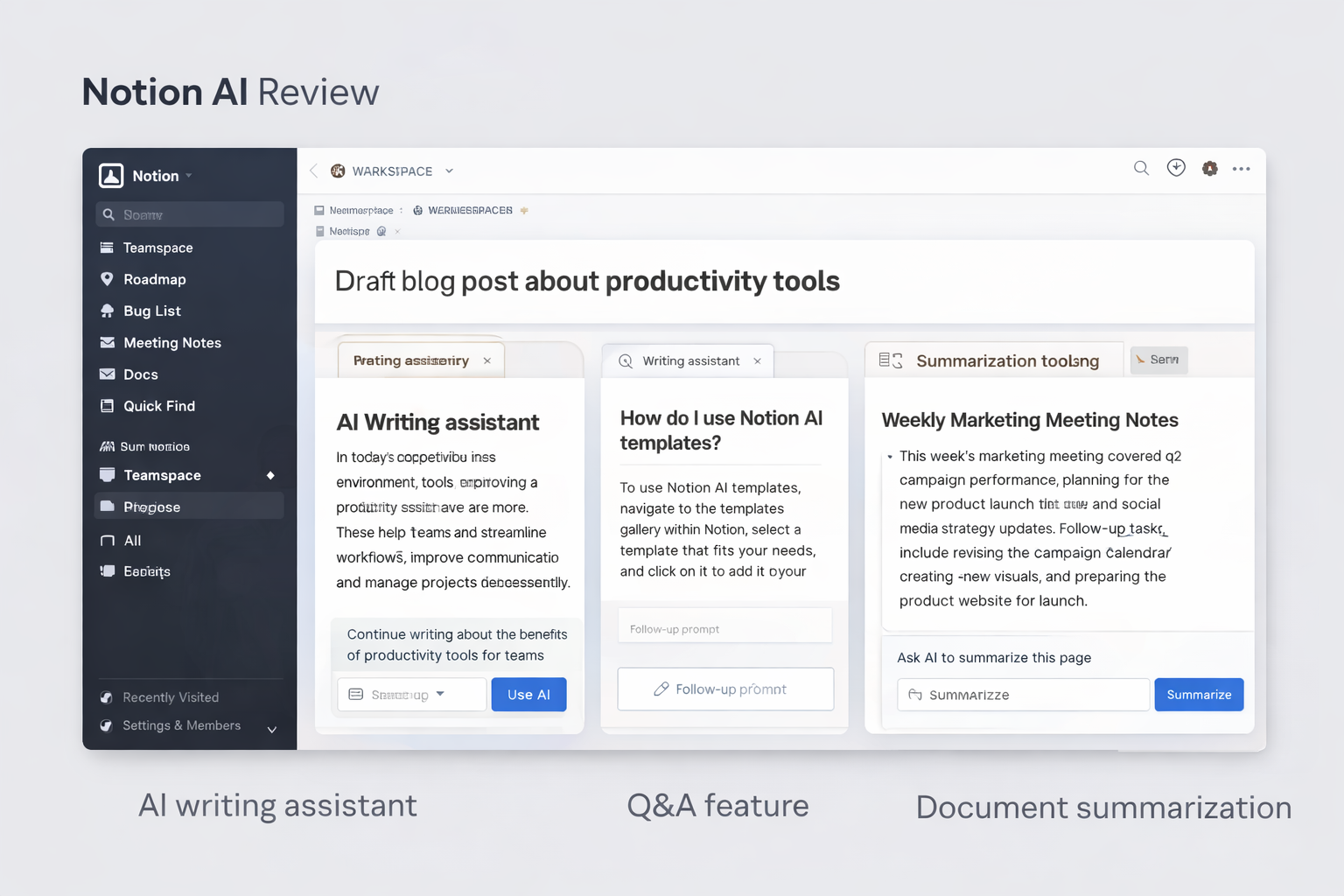
The writing assistant is the cornerstone of Notion AI and the feature most users interact with daily. Highlight any block of text and instantly access options to improve writing, fix grammar, change the tone, simplify language, or expand with more detail.
For content teams, the Generate from prompt function is particularly powerful. Type a topic or brief, and Notion AI drafts a structured document complete with headers, bullet points, and natural prose. In our Notion AI review testing, first drafts required about 40% less editing compared to raw AI output from standalone tools — because Notion AI already understands the style context of your workspace.
2 Automatic Meeting Notes
Notion AI’s Auto Transcribe and Summarize Meetings feature is one of the most productivity-impactful additions in our Notion AI review. Connect your calendar, run meetings inside Notion (or import from Zoom and Google Meet), and Notion AI automatically generates a structured summary with key decisions, action items, and follow-ups.
In team testing, this feature alone saved an estimated 45–60 minutes per week per person previously spent writing up meeting notes. The AI accurately captures the core substance of meetings and formats outputs in a way that is immediately shareable and actionable.
Pro Workflow Tip: Connect Notion AI meeting summaries directly to your project database. After each meeting, the AI can automatically create linked tasks, assign owners from the attendee list, and set due dates — turning a meeting summary into an actionable sprint plan in seconds.
3 Task & Workflow Automation
Notion AI’s automation capabilities work through its deep integration with Notion databases and templates. Using AI-powered rules, you can automate task creation from documents, trigger status updates based on content changes, and generate project briefs from structured database entries.
While this is not full no-code automation (Zapier and Make still win for complex multi-app workflows), for teams that live in Notion, it dramatically reduces the amount of manual administrative work required to keep projects moving forward.
4 Brainstorming and Idea Generation
The brainstorming feature is Notion AI at its most creative. Prompt it with a problem, product concept, or content direction and it generates structured idea lists, mind-map-style outlines, SWOT analyses, and competitor comparison frameworks on demand.
Marketing teams in our Notion AI review found this especially useful for campaign ideation. Rather than staring at a blank page, teams can seed Notion AI with a one-line brief and iterate rapidly on AI-generated options — using the workspace context of previous campaigns for additional relevance.
5 Content Summarization and Q&A
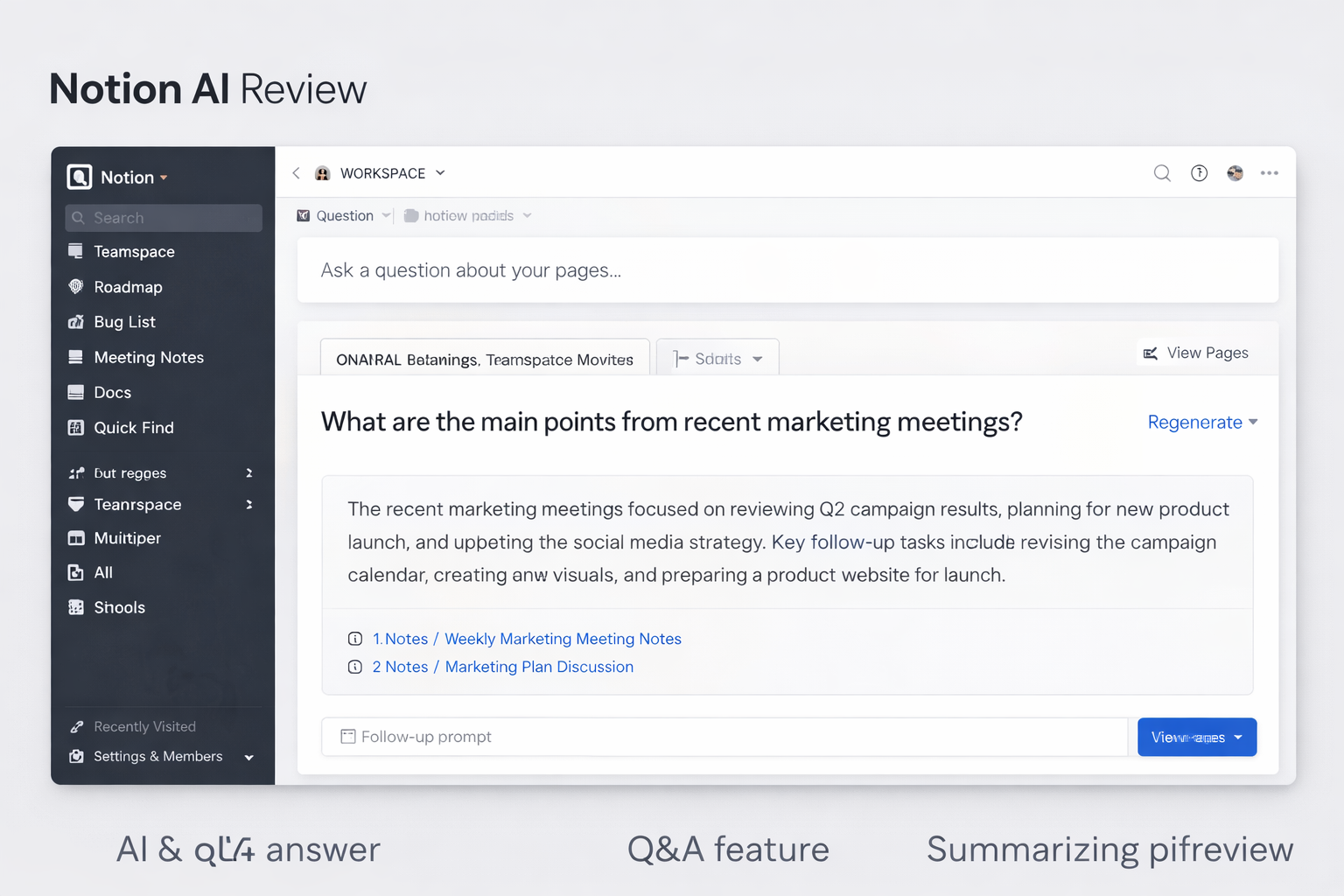
Arguably the most impressive feature in this Notion AI review: the ability to query your entire Notion workspace using natural language. Ask “What was decided in last quarter’s product planning meeting?” or “Summarize our current marketing strategy” — and Notion AI retrieves, synthesizes, and delivers a coherent answer from across all your team’s pages and databases.
This transforms Notion from a static knowledge base into a living, queryable intelligence system. For organizations with large amounts of institutional knowledge locked inside Notion, this feature alone justifies the AI add-on cost.
How Notion AI Improves Team Productivity
The true value of any AI tool is not measured in features — it is measured in time saved and decisions improved. Our six-month Notion AI review across teams of varying sizes identified five consistent, measurable productivity improvements.
Internal Testing Data: In our Notion AI review, a 12-person marketing team using Notion AI for 90 days reported saving an average of 4.2 hours per team member per week on writing, summarizing, and administrative tasks. At a $60/hour blended team rate, that translates to over $1,000 in productivity value per week — for a tool that costs $120/month for the team.
Read our related guide: Best AI Productivity Tools for Teams in 2026 for a broader comparison of the top AI workspace tools available this year.
Notion AI Pricing Plans 2026
A complete Notion AI review must address pricing honestly. Notion AI is sold as an add-on to any existing Notion plan. This means you pay for Notion itself plus the AI add-on — understanding the combined cost is critical before committing.
| Plan | Notion Plan Cost | Notion AI Add-on | Total (Annual) | Best For |
|---|---|---|---|---|
| Free + AI | $0 | $10/mo | $8/mo annually | Individuals, Freelancers |
| Plus + AI | $12/mo | $10/mo | $16/mo annually | Small Teams |
| Business + AI Popular | $18/mo | $10/mo | $22/mo annually | Growing Teams & Startups |
| Enterprise + AI | Custom | Custom | Custom | Large Organizations |
All prices are per member per month. Annual billing saves approximately 20% on the Notion plan and ~20% on the AI add-on.
1 What is Included in Notion AI?
The $10/month AI add-on (or $8/month billed annually) includes:
- Unlimited AI generations — no credit limits or caps per month
- AI writing assistant across all pages and databases
- Automatic meeting note summaries
- Workspace Q&A — natural language search across all Notion content
- Content summarization across any page or database
- Translation into 30+ languages
- Brainstorming and idea generation tools
- AI-powered task creation and action item extraction
Best Value Pick: For growing teams, the Business + AI plan at $22/member/month (annual) delivers the strongest ROI. You get advanced collaboration features, SAML SSO, audit logs, and unlimited AI usage in one combined price. For a 10-person team, that is just $220/month for a complete AI-powered workspace.
Pros & Cons of Notion AI
Our Notion AI review would not be complete without an unflinching honest pros and cons assessment. Here is what we genuinely loved — and what still needs work.
- ✓ Deeply integrated into existing workflow — no context switching
- ✓ Workspace-aware AI understands your existing content
- ✓ Unlimited AI usage — no per-credit pricing anxiety
- ✓ Exceptional content summarization accuracy
- ✓ AI Q&A across entire workspace is genuinely groundbreaking
- ✓ Extremely easy to use — no AI prompt engineering required
- ✓ Built-in translation for multilingual teams
- ✓ Strong mobile app support (iOS and Android)
- ✓ Regular feature updates and improvements
- ✓ Works across individual pages and team wikis equally well
- ✗ AI add-on is an extra cost on top of Notion subscription
- ✗ Not a standalone tool — requires Notion ecosystem buy-in
- ✗ Weaker at long-form creative writing vs Jasper AI
- ✗ No real-time web browsing or live data integration
- ✗ Workflow automation less advanced than dedicated tools
- ✗ AI generation can occasionally feel generic without rich context
- ✗ No custom AI model fine-tuning available
- ✗ Search quality degrades in very large, unorganized workspaces
Notion AI vs Other AI Productivity Tools
To give this Notion AI review real competitive context, we compared Notion AI head-to-head against the three most frequently considered alternatives: ChatGPT, ClickUp AI, and Jasper AI.
| Feature / Criteria | Notion AI ⭐ | ChatGPT Plus | ClickUp AI | Jasper AI |
|---|---|---|---|---|
| Starting Price | $10/mo add-on | $20/mo | $7/mo add-on | $39/mo |
| Workspace Integration | ✓ Native & Deep | ✗ Standalone | ✓ Native | ✗ Standalone |
| Document Summarization | ✓ Excellent | ◑ Good | ◑ Good | ◑ Basic |
| Meeting Notes Auto-Summary | ✓ Built-in | ✗ None | ✓ Built-in | ✗ None |
| Workspace Q&A (Ask AI) | ✓ Full Workspace | ✗ Session Only | ◑ Limited | ✗ None |
| Long-form Content Writing | ◑ Good | ✓ Excellent | ◑ Good | ✓ Best-in-class |
| Task Management AI | ✓ Good | ✗ None | ✓ Excellent | ✗ None |
| Translation Built-in | ✓ 30+ Languages | ✓ Excellent | ✗ Limited | ◑ Good |
| Web Browsing | ✗ None | ✓ Included | ✗ None | ✗ None |
| Unlimited AI Usage | ✓ Yes | ◑ Message limits | ✓ Yes | ✗ Word credits |
| Overall Score | ⭐ 4.6 / 5 | 4.7 / 5 | 4.3 / 5 | 4.4 / 5 |
Verdict on the comparison: ChatGPT edges ahead on raw conversational AI capability and web browsing. Jasper AI leads for dedicated long-form marketing content. ClickUp AI wins if your team is already deeply committed to ClickUp. But if your team runs on Notion — or is considering adopting Notion — this Notion AI review confirms it is the most deeply integrated and context-aware AI productivity tool available.
For a deeper look, read our full Notion AI vs ChatGPT comparison or our Best AI Writing Tools for 2026 guide.
Best Use Cases for Notion AI
One of the most useful findings in our Notion AI review is that it delivers disproportionate value in specific contexts. Here are the six user types who benefit most.
Who Should Not Use Notion AI: Teams that do not use Notion as their primary workspace will find minimal benefit — the tool’s value is almost entirely dependent on its deep integration with Notion’s own environment. Standalone AI writing or chatbot needs are better served by dedicated tools like ChatGPT or Claude.
Is Notion AI Worth It in 2026?
The most important question in any Notion AI review is the ROI question: does the cost justify the value delivered? Here is our honest, data-backed answer.
✅ Notion AI IS worth it if:
- Your team already uses or plans to adopt Notion as its central workspace
- You produce regular documents — reports, briefs, strategies, proposals, SOPs
- Your team runs frequent meetings that currently require manual note-taking
- You have institutional knowledge buried in Notion that is hard to retrieve
- You work with multilingual teams or international markets
- You value seamless AI integration over maximum raw AI capability
❌ Notion AI is NOT worth it if:
- You do not use Notion and have no plans to adopt it
- You need advanced AI capabilities like web browsing, code execution, or deep research
- Your primary need is high-volume, SEO-optimized long-form content (use Jasper or Surfer)
- You are a solo user with minimal writing or documentation needs
- Budget is extremely constrained — free alternatives like ChatGPT Free may suffice for basic needs
At $8–$10 per member per month, Notion AI represents one of the most affordable AI add-ons available for a full-featured workspace platform. The unlimited usage model eliminates the anxiety of per-credit pricing, and the depth of workspace integration provides value that no standalone AI tool can fully replicate for Notion-native teams.
Final Verdict: Our Notion AI Review Conclusion
After six months of hands-on testing, our Notion AI review conclusion is clear: Notion AI is the most intelligently integrated AI productivity tool available for teams that work inside the Notion ecosystem.
Its workspace-aware Q&A, automatic meeting summaries, and seamless writing assistance deliver tangible, measurable productivity gains. The unlimited usage model and competitive pricing make it accessible for teams of all sizes. It is not the most powerful raw AI engine — ChatGPT and Claude hold that title — but for context-aware team productivity, nothing competes with Notion AI’s depth of integration.
Our recommendation: If your team uses Notion, adding Notion AI is one of the highest-ROI software decisions you can make in 2026. Start with the Business + AI plan for the best combination of features and value.
Start Using Notion AI Today
Join over 4 million teams already using Notion AI to write faster, meet smarter, and find information instantly.
Start free — no credit card required.
FAQ — Notion AI Review 2026
Here are the most frequently asked questions from readers of this Notion AI review, optimized for Google Featured Snippets.
Notion AI is an artificial intelligence layer built directly into the Notion workspace. It helps users write, edit, summarize, translate, brainstorm, and automate tasks without leaving the Notion environment. Unlike standalone AI tools, Notion AI understands the context of your existing workspace content — making it especially powerful for teams with large knowledge bases in Notion.
Notion AI is available as an add-on for $10 per member per month (billed monthly) or $8 per member per month billed annually, on top of any existing Notion plan. This includes unlimited AI usage with no per-generation credit limits. Combined with the Notion Business plan, the total cost is approximately $22/member/month billed annually.
Yes — based on our Notion AI review testing, remote teams benefit enormously from Notion AI. The automatic meeting summaries, workspace Q&A, and async-friendly document generation features directly address the most painful productivity challenges remote teams face: information silos, meeting follow-up inefficiency, and documentation time. Teams in our testing saved an average of 4+ hours per member per week.
Notion AI is not a full replacement for ChatGPT. ChatGPT offers broader conversational AI capabilities, web browsing, code execution, and wider API integrations. Notion AI excels specifically at context-aware tasks within your Notion workspace — like summarizing pages, editing documents, and extracting action items from meeting notes. For maximum coverage, many teams use both tools for different purposes.
No, Notion AI requires an active internet connection. All AI processing occurs on Notion’s cloud servers. While Notion itself offers limited offline functionality for viewing cached content, any AI-powered feature — writing, summarization, Q&A, translation — requires connectivity to function.
Yes, Notion AI is fully available on both iOS and Android mobile apps. All AI writing, summarization, and Q&A features are accessible from mobile devices, making it practical for team leads who need AI-powered capabilities on the go — during travel, between meetings, or when away from their desk.
Notion AI is powered by a combination of large language models including technology from OpenAI and Anthropic. Notion does not publicly specify the exact model versions used at any given time, as the underlying models are updated periodically to improve performance. The result is strong language understanding, reliable generation quality, and effective summarization across a wide range of content types.